




Pro Tools
Your command centre.
Built for Dom(me)s who manage.
Desktop-grade tools for Dom(me)s with multiple dynamics. Assign tasks across dynamics, chat with everyone in one place, keep private notes, and maintain a shared wishlist — all without switching between pages.
Multi-Tasker
One task. Every dynamic. One click.
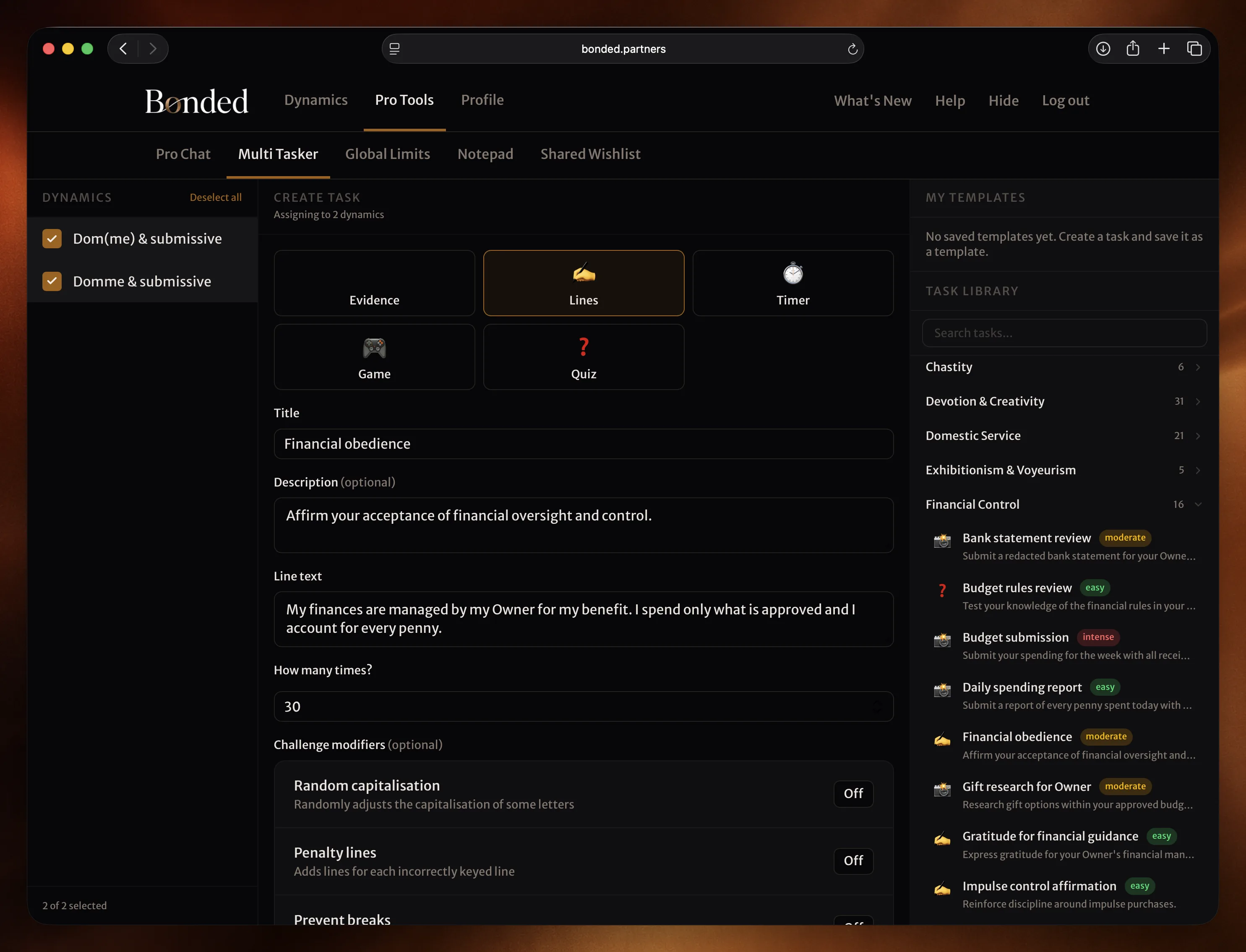
Select the dynamics, pick a task from the library or build your own, and assign. Three-column layout: dynamics on the left, task form in the centre, and a searchable library of 300+ task ideas on the right. Templates save your favourites.
- Assign tasks to multiple dynamics simultaneously
- 300+ pre-built task ideas organised by theme and difficulty
- Save your own templates for reuse
- All five task types: evidence, lines, timer, game, and quiz
Pro Chat
Every conversation. One screen.
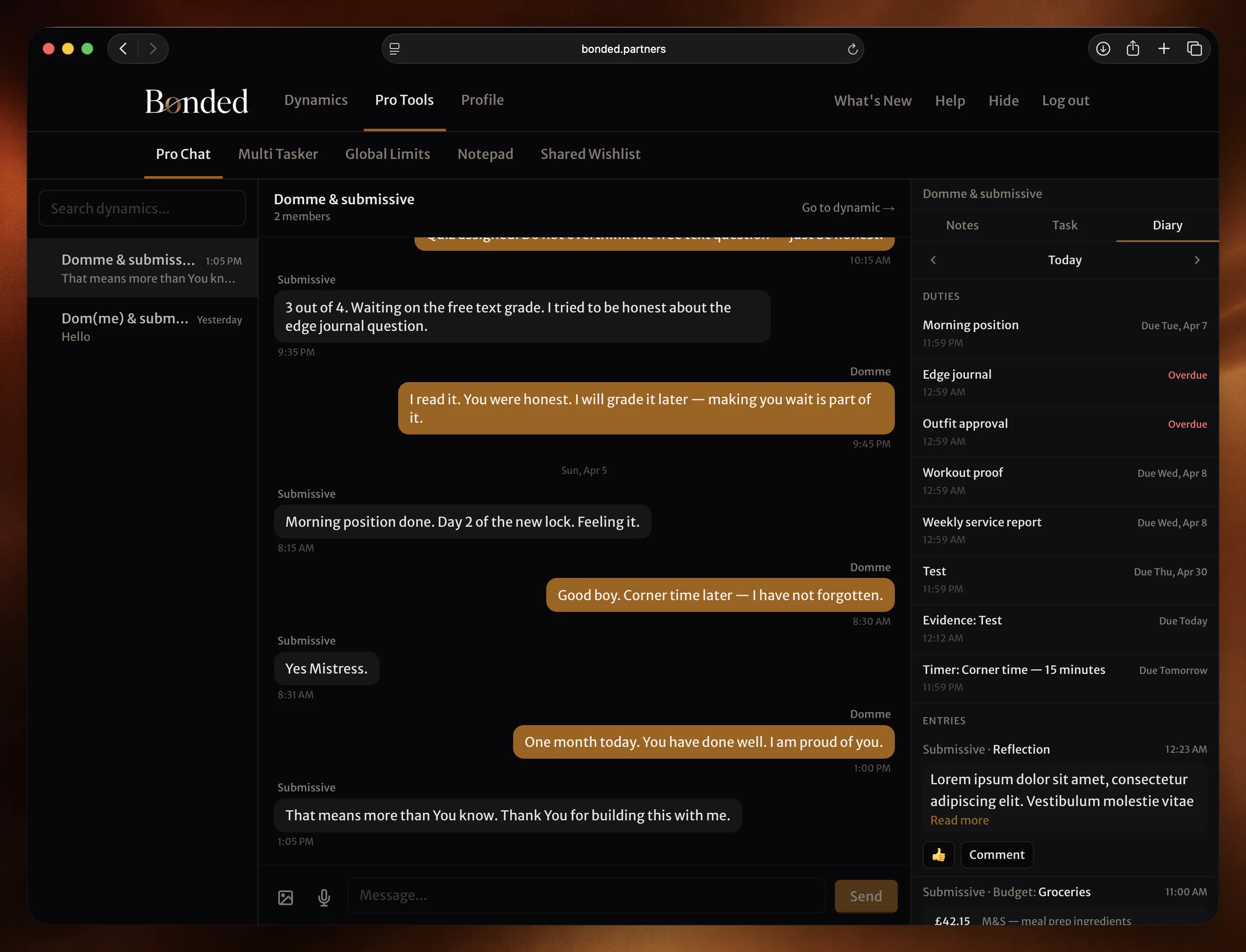
All your dynamics in a single sidebar. Click to switch. The chat area shows the full conversation with images, voice memos, and typing indicators. The right panel gives you instant access to notes, task assignment, and diary review — without leaving the conversation.
- Dynamic list with unread indicators and message previews
- Sidebar with Notes, Task, and Diary tabs
- Send images and voice memos inline
- Review and acknowledge diary submissions without switching pages
Notepad
Private notes on every person in your dynamics.
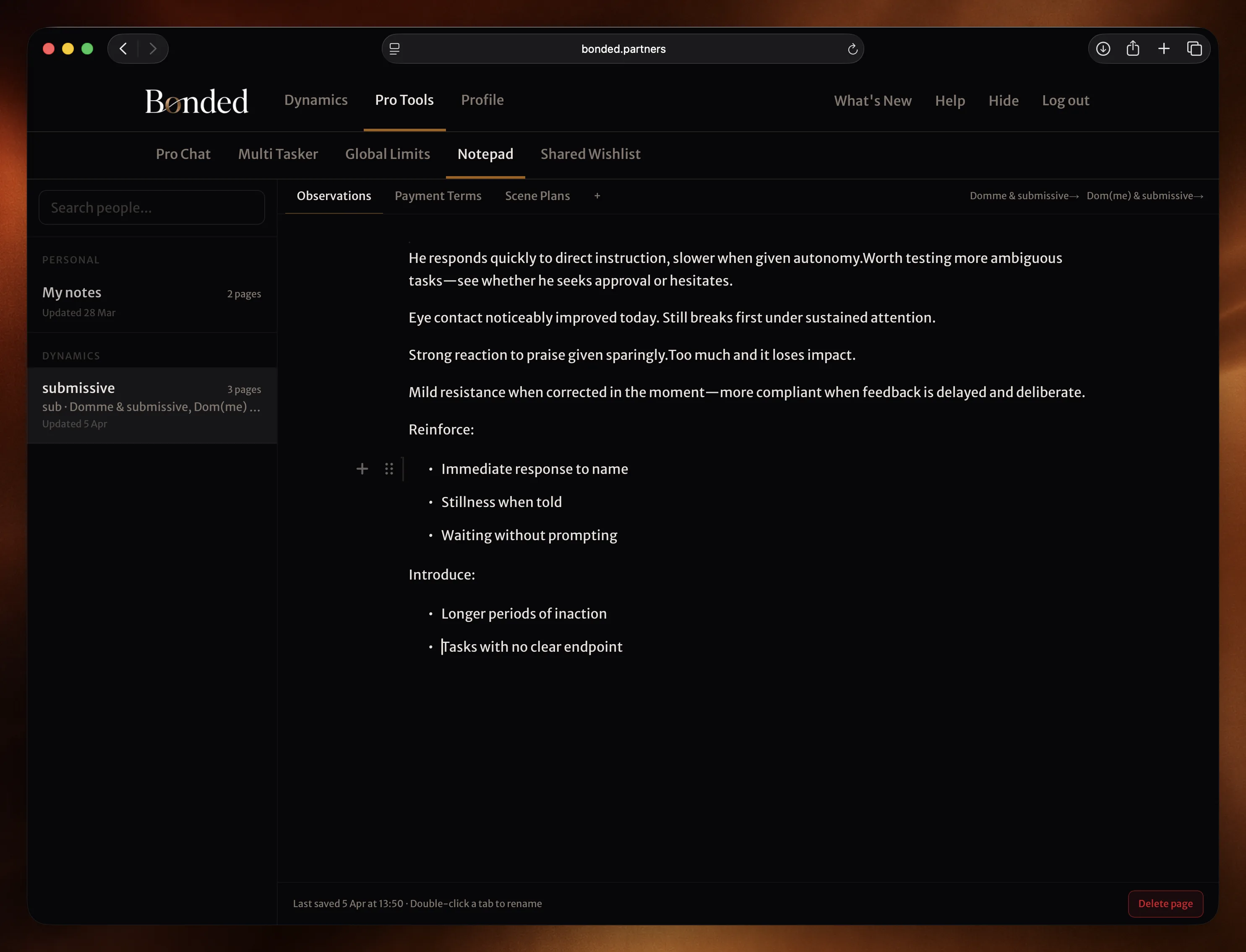
Keep notes about each submissive — scene ideas, observations, things to revisit. Each person gets their own notebook with multiple pages. Auto-saves as you type. Accessible from Pro Chat's sidebar or as a standalone tool.
- One notebook per person, with multiple pages
- Auto-save with no manual effort
- Double-click tabs to rename pages
- Quick links back to each person's dynamic
Shared Wishlist
One list. Visible to every dynamic.
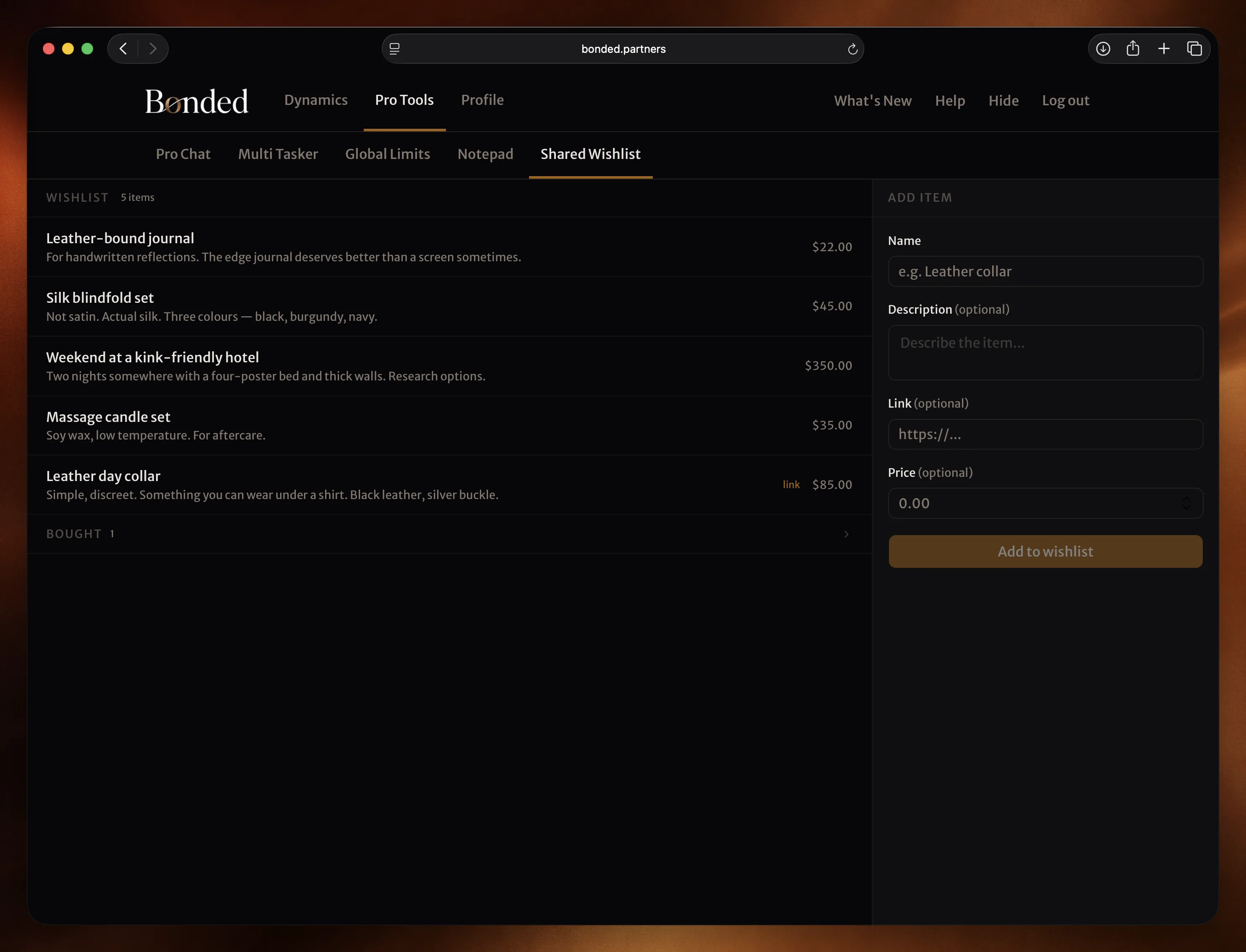
Add items you want — with links, prices, and descriptions. Every submissive in every dynamic can see the list and mark items as bought. You see who bought what and when, without having to manage separate wishlists per dynamic.
- Items with links, prices, and descriptions
- Submissives mark items as bought across any dynamic
- Track who bought what and when
- Inline editing — click an item to update it
Who it's for
Built for Dom(me)s who take structure seriously.
Multiple dynamics
If you manage more than one submissive, Pro Tools let you work across all of them without constantly navigating in and out.
Desktop workflow
Pro Tools are designed for larger screens. Full-width layouts, multi-column views, and keyboard-friendly interfaces.
Serious about structure
Task libraries, templates, private notes, cross-dynamic wishlists. Tools that match the level of thought you put into your dynamics.
Ready to take control?
Pro Tools are included with the Pro plan. Start free and upgrade when you're ready.
Not ready yet? Get D/s insights and product updates in your inbox.